Introducing
How to Solve Problems When Generating Images with DreamPets
Have you ever wondered what makes DreamPets stand out? DreamPets is an exceptional app designed for creating AI pet portraits, offering a unique blend of technology and creativity to bring your beloved pets to life in art form. However, like any advanced AI-powered tool, DreamPets might face some hiccups during the image generation process. Understanding why these issues occur and knowing how to fix them can enhance your experience with our app.
Part 1: Why Issues Occur and Possible Problems
At the core of DreamPets is a sophisticated AI technology that crafts portraits based on the photos you provide. This AI technology relies on algorithms to interpret and recreate your pet's image in an artistic way. Due to this reliance on algorithms, the results can sometimes be unpredictable. You might encounter instances where the generated portrait doesn't quite capture your pet's likeness or misses certain details.
In rare cases, the portrait generated by DreamPets might not resemble your pet as closely as expected, or it might lack some of your pet's unique features. On very rare occasions, the outcome might be an image that doesn't include your pet at all. While these instances are infrequent thanks to continuous improvements and optimizations to our AI, there are still possibilities we strive to minimize.
Part 2: Solving These Issues
If you find yourself facing any of these issues, we want to assure you that we're here to help. Here's how you can address them:
First Solution: Beautify Feature
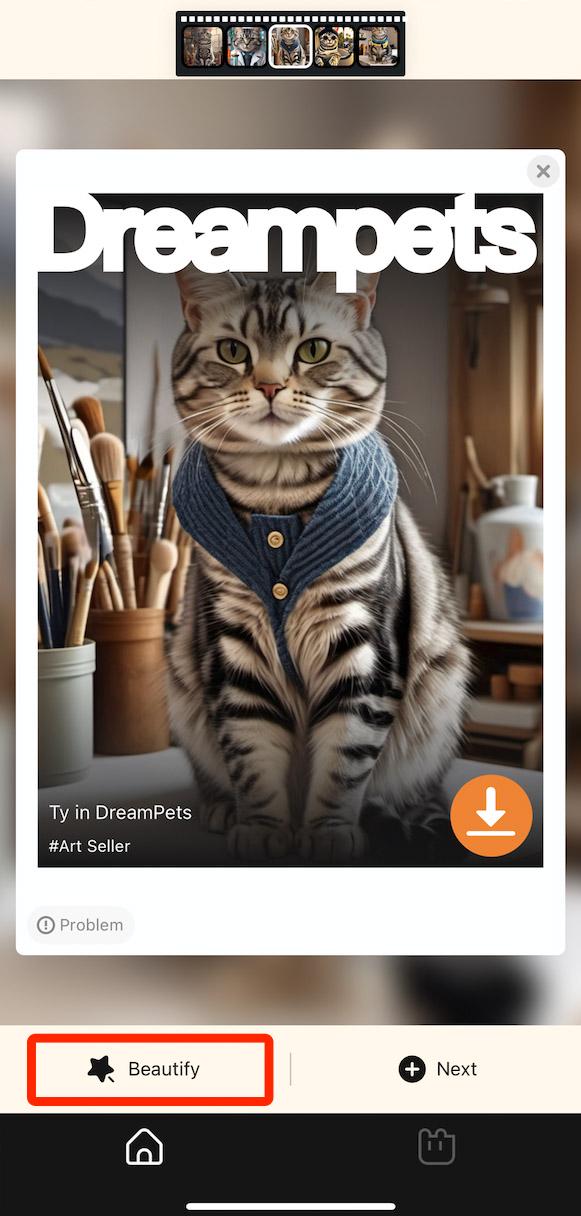
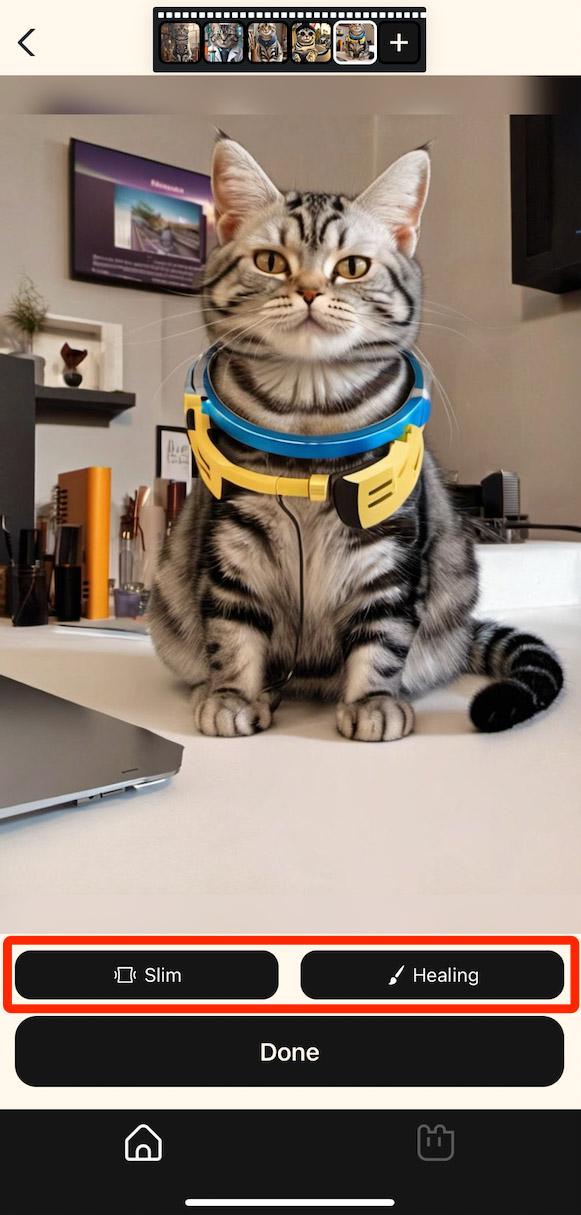
If the portrait doesn't quite match your pet or if there are minor inaccuracies, try using the "Beautify" option located at the bottom left of the screen. Within this feature, you'll find tools like "Slim" and "Fix" that can adjust the portrayal of your pet, making it more accurate or aesthetically pleasing.
Second Solution: Problem Button
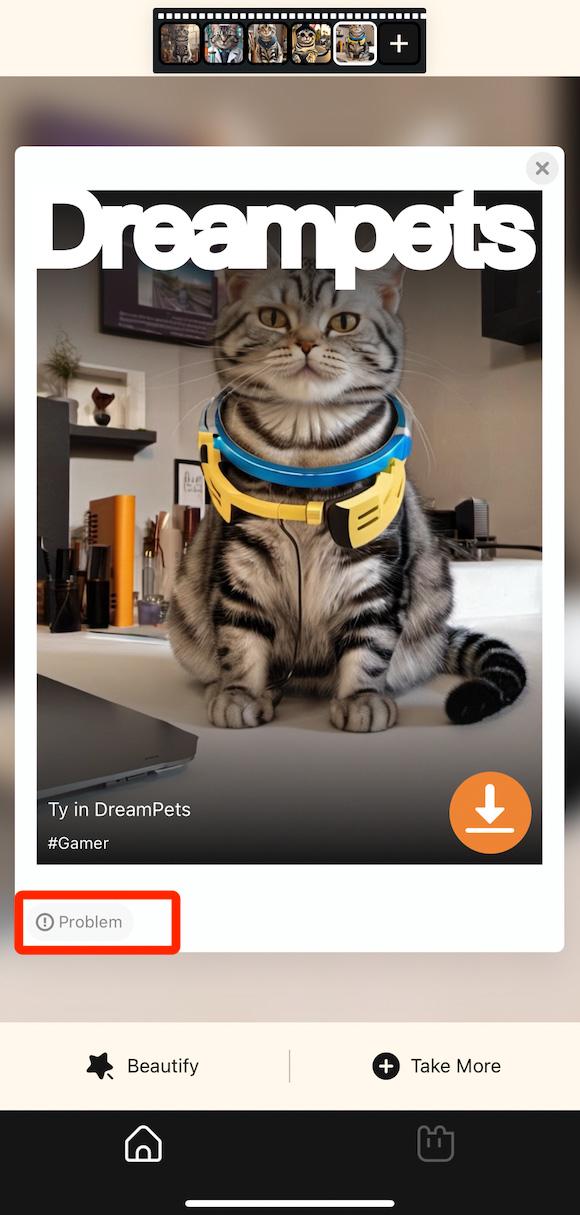
Should the Beautify feature not fully address your concerns, you can use the "Problem" button, also found at the bottom left of the generated image. By selecting the issues you've encountered, you not only help us improve DreamPets but also prompt our system to regenerate a new portrait for you.
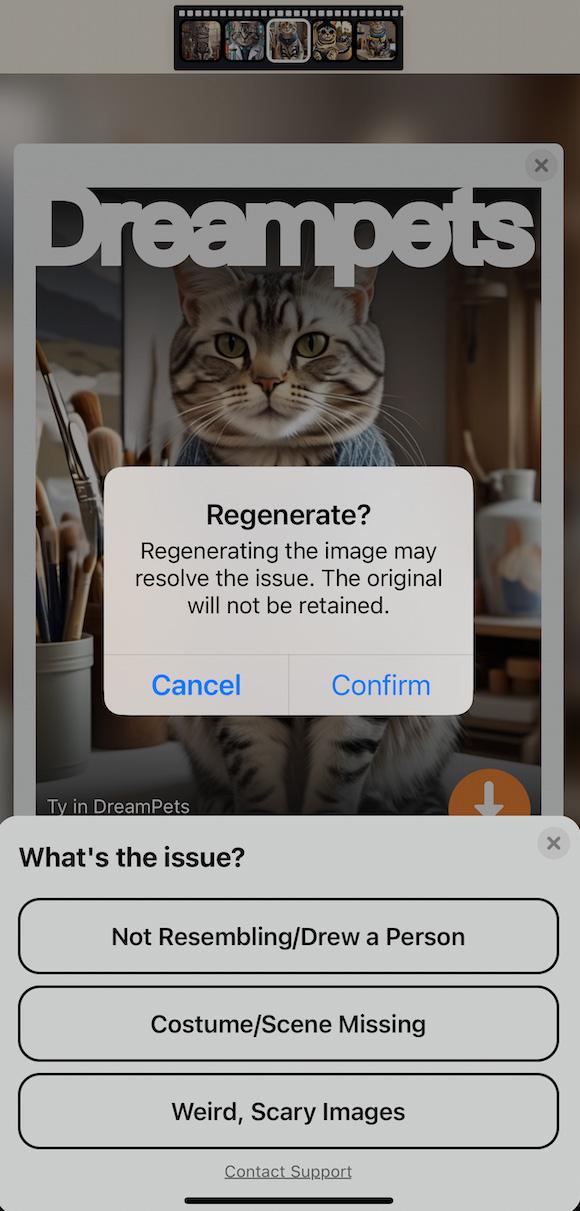
Third Solution: Help & Feedback
If the above solutions don't resolve your issue, don't hesitate to reach out for further assistance. Go to the "Help & Feedback" section and click on "Other Feedback." Describe the problem you're facing, and a dedicated team member will be assigned to assist you.
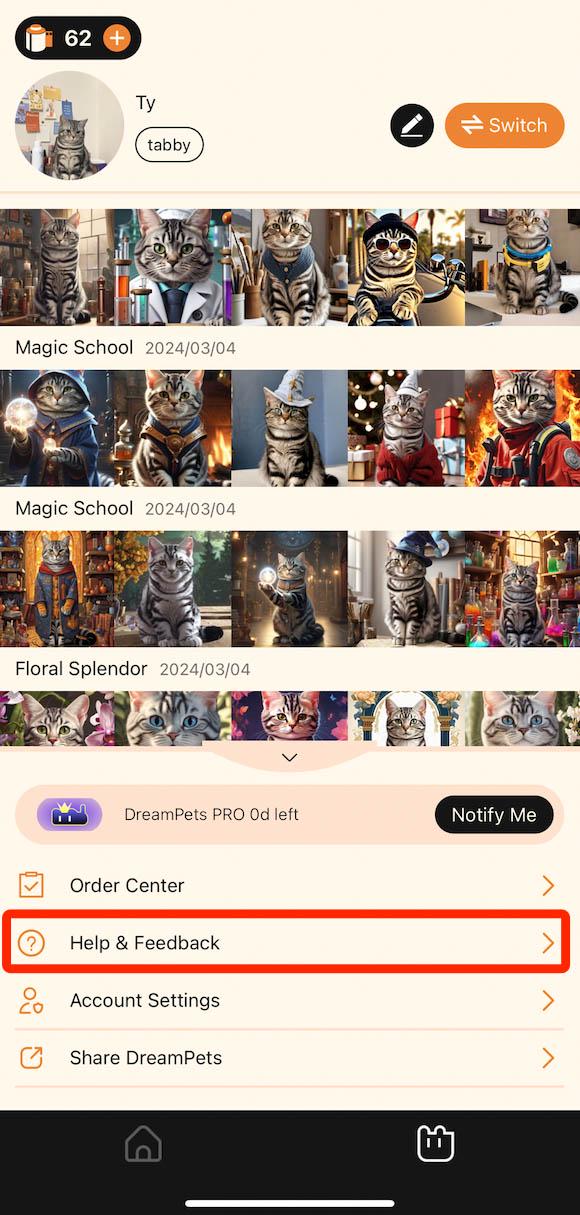
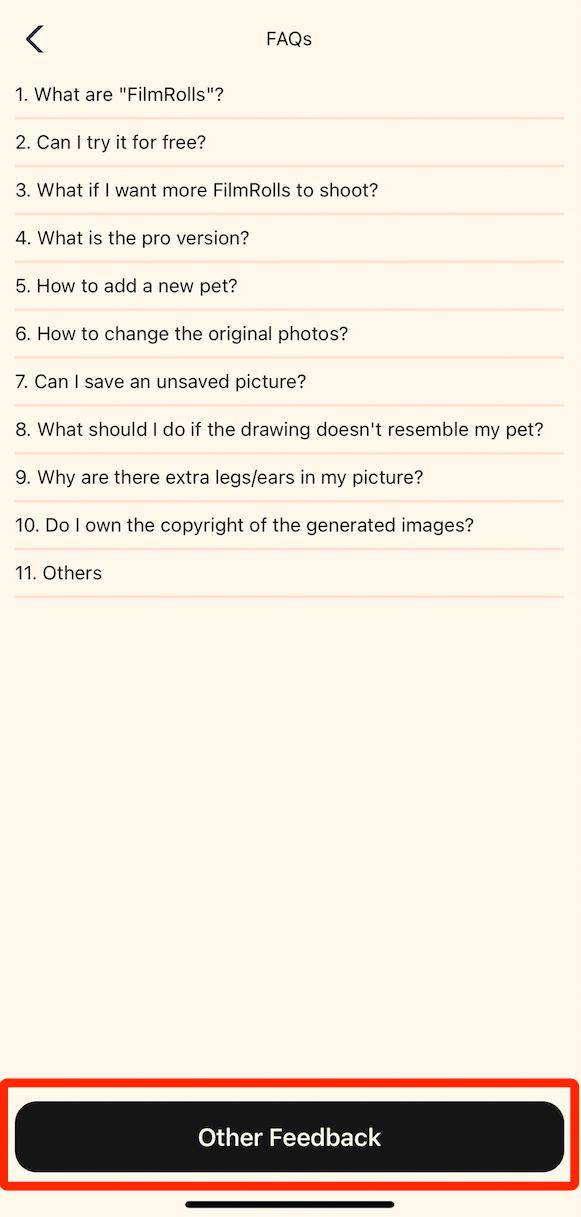
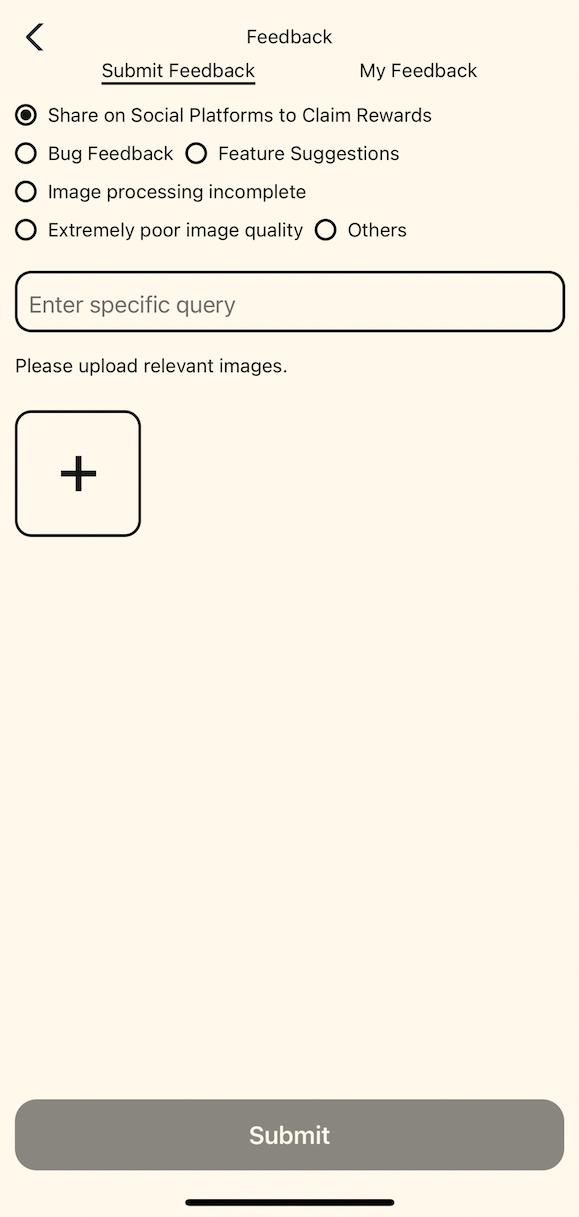
Embrace the Magic of DreamPets: We're Here to Make It Right
We encourage you to explore and use DreamPets: AI Pet Portrait, with confidence. Our team is committed to ensuring a satisfying experience, and we're equipped to handle any issues that may arise. Your willingness to try our product, despite potential errors, allows us to improve and provide you with better service. Remember, any problem you face is an opportunity for us to grow and enhance DreamPets together.